

360 Virtual Tour for Real Estate: Shoot, Build and Share (2026)
How to make a 360 virtual tour for real estate in India: the three kinds of tour and when each fits, a shooting checklist for built flats, exporting panoramas for unbuilt projects, building and sharing the tour, and what the RERA Act says.

Written by Velocity Team
Architecture and design team at Velocity AOI
Published
Updated
Reading time
11 min
On this page11 sections · 11 min read
- Key takeaways
- What are the types of virtual tour for real estate?
- Which kind of virtual tour should you choose?
- What 360 camera do you need for real estate?
- How do you shoot a 360 virtual tour of a built property?
- How do you make a 360 tour of a project that is not built yet?
- How do you build and share the tour?
- What does RERA say about 360 tours of unbuilt projects?
- Where do 360 virtual tours fall short?
- FAQ
- Ready to put your next project on a phone?
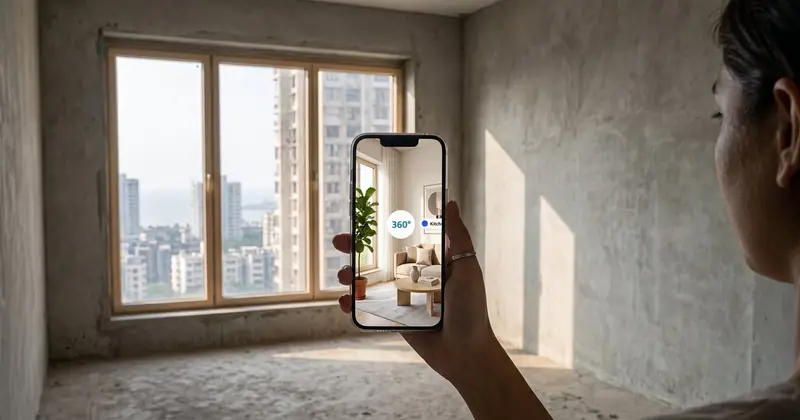
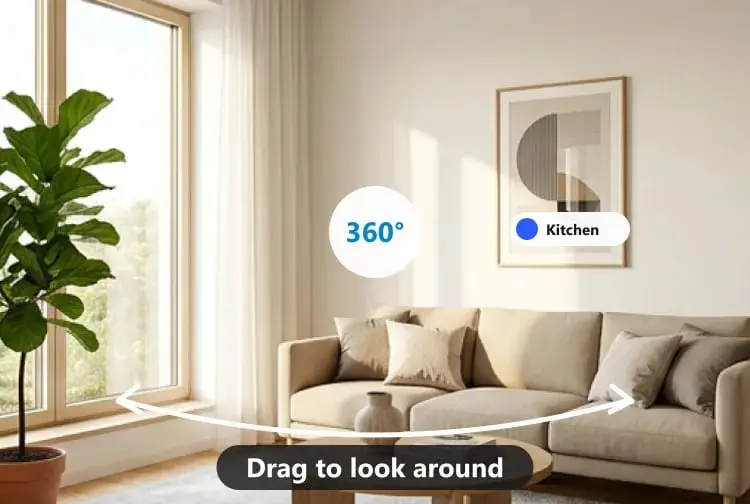
A 360 virtual tour for real estate is a set of linked 360° pictures, one per room, that a buyer turns or drags on a phone to look around, then taps a doorway to move to the next room. For a built home you shoot it with a 360° camera. For an unbuilt project you export the pictures from your renders.
What decides whether a tour helps you sell, or earns you a complaint, is choosing the right kind, shooting it properly and being honest about what is real.
Key takeaways
- "Virtual tour" covers three things: a 360° photo tour, a 3D-scanned "dollhouse" tour, and a 360° tour of an unbuilt project made from renders.
- For built flats, a tripod, a fixed camera height and one shot per room and doorway matter more than an expensive camera.
- For unbuilt projects, export 2:1 equirectangular panoramas from your rendering software, with stereo or 3D mode switched off for phone viewing.
- Under the RERA Act, a tour shared to sell units is publicity, so it needs the project registered first and must match what you registered.
- Label anything AI-painted or illustrative. A buyer who feels misled at the site visit is worse than no tour at all.
What are the types of virtual tour for real estate?
There are three main types: a 360° photo tour of a space that exists, a 3D-scanned tour that also builds a measured "dollhouse" model, and a 360° tour of a project that is not built yet, made from renders. They look similar on a phone but are made very differently.
| Type | Made from | What the buyer can do | Best for | Watch out for |
|---|---|---|---|---|
| 360° photo tour (built space) | Stitched pictures from a 360° camera, one per room | Look around each room, tap to move between rooms | Resale and rental flats, sample flats, finished interiors | Wide lenses make rooms feel bigger than they are |
| 3D-scanned "dollhouse" tour | A scanning camera that captures images and depth | Look around, plus see the home as a 3D cutaway and a plan | Large villas, offices, showrooms | Dedicated scanning kit, more time per site |
| 360° tour of an unbuilt project | Equirectangular panoramas exported from rendering software, or a render turned into 360° | Look around rooms and amenities that do not exist yet | Pre-launch towers, villa projects, interior design approvals | Must match the registered plans; label it as an illustration |
A walkthrough video often gets mixed in. A video moves the camera along a path you choose; a tour lets the viewer choose. Our guide to architectural walkthrough videos covers when each one works better.
Which kind of virtual tour should you choose?
Choose by what the buyer needs to judge. Real condition of a flat: a 360° photo tour. Layout of a large property: a scanned tour. A building that does not exist: a tour from renders.
A resale 2BHK in Thane, for a family in Pune who want to see the kitchen and balcony, is a photo tour done in an afternoon. A 4,000 sq ft villa in Whitefield, for an NRI buyer who wants to see how the floors connect, justifies a scan. A pre-launch tower in Hyderabad gets a sample-flat tour from renders, and only after RERA registration.
What 360 camera do you need for real estate?
Any consumer 360° camera that saves a stitched equirectangular picture will do for most homes. What matters more is the tripod, the camera height and the light.
Use the stitched picture the camera's app exports, not the raw two-lens files, because tour software expects a single 2:1 image. And switch on bracketing or HDR if the camera offers it: a west-facing room at 4 pm has a blazing window and a dark corner in the same frame.
How do you shoot a 360 virtual tour of a built property?
Put the camera on a thin tripod at a fixed height, shoot one picture near the centre of each room and one at each doorway, keep every light on and every fan off, and step out of sight before each shot. Then shoot the rooms in walking order so linking them later is easy.
Shooting checklist:
- Tripod or light stand, not hands. A thin stand disappears at the bottom of the picture; your hand does not.
- One camera height for the whole home. Our rule of thumb is around 1.5 m, roughly chest to eye height. Too low and the bed looks like a hall; too high and the ceiling vanishes.
- Position slightly off-centre. In a 10×12 bedroom, move towards the side that shows the wardrobe and window together.
- Lights on, fans off. Moving fan blades blur and break the stitch. Open curtains unless the window faces a wall.
- HDR or bracketing on where windows are bright.
- Declutter. Shoes, wet clothes on the balcony, the gas cylinder. A 360° camera sees everything.
- Hide yourself. Use the app's timer or remote and stand in another room.
- One extra shot at each doorway. These become the hotspot positions and make moving between rooms feel natural.
- Note the order you shot in. Fifteen files named IMG_0001 to IMG_0015 are hard to sort later.
Shooting a client's home? Get written consent to share it, and leave out family photos and anything that gives away the address.
How do you make a 360 tour of a project that is not built yet?
Export a 360° panorama from your rendering software for each room you want in the tour, as a 2:1 equirectangular image with stereo or 3D mode off. Place each panorama camera at standing eye height in the middle of the room, as you would a tripod on site.
Where to find the setting, as of October 2026, from each vendor's own documentation:
- Lumion: in Panorama Mode, its knowledge base article on panorama render settings describes choosing Equirectangular as the projection type and switching Stereoscopic off for a single, flat panorama.
- Twinmotion: Epic's export settings for images and panoramas lists panorama resolutions of 2K, 4K, 6K, 8K and 16K (4K by default), PNG, JPG or EXR output, and a 3D Mode that is off by default.
- D5 Render: the options sit under Render Image > Panorama, and D5's stereoscopic panorama guide explains the Stereo checkbox, which is for headsets. Leave it unchecked for phone tours.
- Enscape and V-Ray: both can export 360° panoramas too; the menu names change between versions, so check your version's documentation.
If your model is in SketchUp and you only need still images first, our guide to SketchUp AI render routes compares the options.
What if you only have a normal render or photo of a room? Velocity's "Make it 360°" turns it into a 360° picture. Your image stays pixel for pixel as the front view, and AI paints the rest of the room around it. Say clearly that those parts are AI-made: they show surfaces nobody designed. Fine for mood in an early interior presentation, not as a promise to a buyer.
How do you build and share the tour?
Upload one panorama per room, link rooms with doorway hotspots, add info points for materials, choose where the tour starts, then share a link that opens on a phone.
Here is how we built Velocity's 360° Panorama tool to do it:
- Upload 2:1 equirectangular pictures, from a 360° camera (the stitched picture) or exported from Enscape, Lumion, D5, V-Ray or Twinmotion. Pictures up to 16000 × 8000 px are accepted, and lighter copies are made so the tour opens quickly on phones.
- Name each room as a buyer would: "Kitchen", not "Pano_03".
- Link rooms with doorway hotspots. Put each hotspot on the actual door, so tapping it feels like walking through.
- Add info points for things buyers ask about: flooring, kitchen platform, window make.
- Choose the first room and the first view. Start in the living room, facing the best window, not a blank wall. Add your studio name and logo if you like.
- Share the link or embed it. The client walks through on a phone or laptop with no app and no sign-in, and you get embed code for your website or project page.
What does RERA say about 360 tours of unbuilt projects?
If a tour markets units in a project that needs registration, treat it as an advertisement under the Real Estate (Regulation and Development) Act, 2016. The project must be registered first, and the promoter must compensate buyers who lose money because of a false statement in an advertisement or a model apartment.
What the Act says, quoted from the text of the Act on India Code:
- Section 2(b) defines "advertisement" to include "any notice, circular or other documents or publicity in any form, informing persons about a real estate project, or offering for sale of a plot, building or apartment or inviting persons to purchase in any manner such plot, building or apartment or to make advances or deposits for such purposes".
- Section 3(1) says "No promoter shall advertise, market, book, sell or offer for sale, or invite persons to purchase in any manner any plot, apartment or building" in a project "without registering the real estate project with the Real Estate Regulatory Authority".
- Section 11(2) requires that the advertisement or prospectus "shall mention prominently the website address of the Authority, wherein all details of the registered project have been entered and include the registration number obtained from the Authority".
- Section 12 provides that where a person makes an advance or deposit on the basis of an advertisement or prospectus, "or on the basis of any model apartment, plot or building", and "sustains any loss or damage by reason of any incorrect, false statement included therein, he shall be compensated by the promoter".
In practice, for a builder or the architect preparing the tour:
- Share the tour publicly only after registration.
- Put the RERA registration number and the authority's website address on the tour's opening view or an info point.
- Build the tour from the registered plans and specifications, not an earlier scheme.
- Mark it as an artist's impression, and say clearly which areas are AI-painted.
- Keep a dated copy of every version you publish.
States add their own advertisement rules, so read your authority's current orders. Our post on 3D rendering for real estate marketing covers those and the other visuals in a launch. This is general guidance, not legal advice.
Where do 360 virtual tours fall short?
A 360° tour shows what a room looks like from one spot. It does not give dimensions, it can make small rooms look larger, and it cannot show what living there feels like: the noise from the main road, the smell of the drain behind the building, the climb to the fourth floor without a lift.
Share the carpet area and a dimensioned plan alongside any photo or render tour. Treat the 14th-floor view from a tower that is still a plinth as an illustration, because it is one. Keep the room count sensible for buyers on slow mobile data; twelve well-chosen rooms beat thirty. And no tour replaces a site visit before anyone pays.
FAQ
What is a 360 virtual tour for real estate?
A 360 virtual tour for real estate is a set of 360° pictures of a property, one per room, linked by hotspots so a buyer can look around each room and move between them on a phone or laptop. Built homes are shot with a 360° camera. Unbuilt projects use 360° panoramas exported from rendering software.
Is a 3D virtual tour the same as a 360 tour?
Not quite. A 360° tour is made of panoramic pictures you look around in. A 3D virtual tour usually means a scanned tour that also builds a 3D "dollhouse" model and a floor plan view of the whole home, so you can see how rooms and floors connect. People use the terms loosely, so ask a vendor which one they are quoting for.
Which 360 camera is best for real estate?
For most flats and houses, any consumer 360° camera that saves a stitched equirectangular picture, used on a tripod, is enough; Insta360 and Ricoh Theta models are common choices. Technique matters more than the model: a fixed camera height, HDR for bright windows, every light on, fans off, and one shot per room plus one at each doorway.
Can I make a virtual tour of a flat that is not built yet?
Yes. Export a 2:1 equirectangular panorama of each room from software such as Lumion, Twinmotion, D5, Enscape or V-Ray, then link them into a tour. If the project needs RERA registration, share the tour only after registering, build it from the registered plans, show the registration number, and label it as an illustration.
How do you create a 360 virtual tour for interior design?
Render or photograph each room as a 360° panorama, upload them, link the rooms with doorway hotspots, add info points for finishes such as laminate, stone or paint shades, and send the client a link. A tour shows a family how the living, dining and kitchen connect better than separate stills.
Ready to put your next project on a phone?
Pick one sample flat or one finished interior, shoot or export a panorama of each room, and send the client a single link this week. You can build and share the tour with Velocity AOI, built in India for architects, interior designers and builders who want buyers to see the space before the site visit.
Sources

Written by
Velocity Team
Architecture and design team at Velocity AOI
We write plain guides for Indian home-owners and the architects they hire. Every number links to its source, and images made with AI are labelled.